Use automatic form filling
The assistant captures call details from the conversation and fills form fields as information is collected.
How automatic form filling works
- The assistant captures details like customer name, address, email address, phone number, trade, and job type.
- The assistant can select the appropriate probing questions based on the trade and job type it identifies.
- The representative can still fill or correct any field manually.
- If the assistant misidentifies the trade, job type, or other information, override it by manually selecting the correct information.
⚠️
Manual control stays available: The form can be completed manually if the representative prefers, or if the assistant needs correction.
Verify each field as it fills:
- Verify customer name
- Verify service address
- Verify phone and email
- Confirm trade and job type
- Review selected probing questions
- Correct any misidentified information
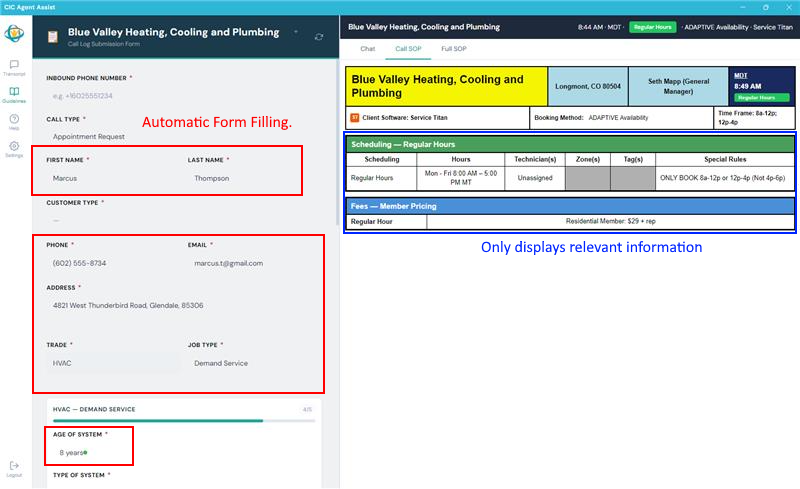
The assistant fills known form details and shows relevant SOP information as the call progresses.