Use the Call SOP tab
The Call SOP is a filtered SOP view focused on what is relevant to the current call.
How the Call SOP works
The Call SOP contains the same source information as the Full SOP, but it only includes information relevant to the active call. If the assistant determines or confirms that something is relevant based on the conversation, that information should appear in the Call SOP. Irrelevant information is filtered out so the representative does not have to sort through unnecessary SOP details during the call.
Instructions
- Select the Call SOP tab from the right-side panel.
- Review the displayed job type, scheduling rules, booking method, fees, and other call-specific instructions.
- Use this tab as the primary SOP reference while actively handling the call.
✅
Expected result: The representative sees focused, client-specific guidance with unrelated SOP sections removed.
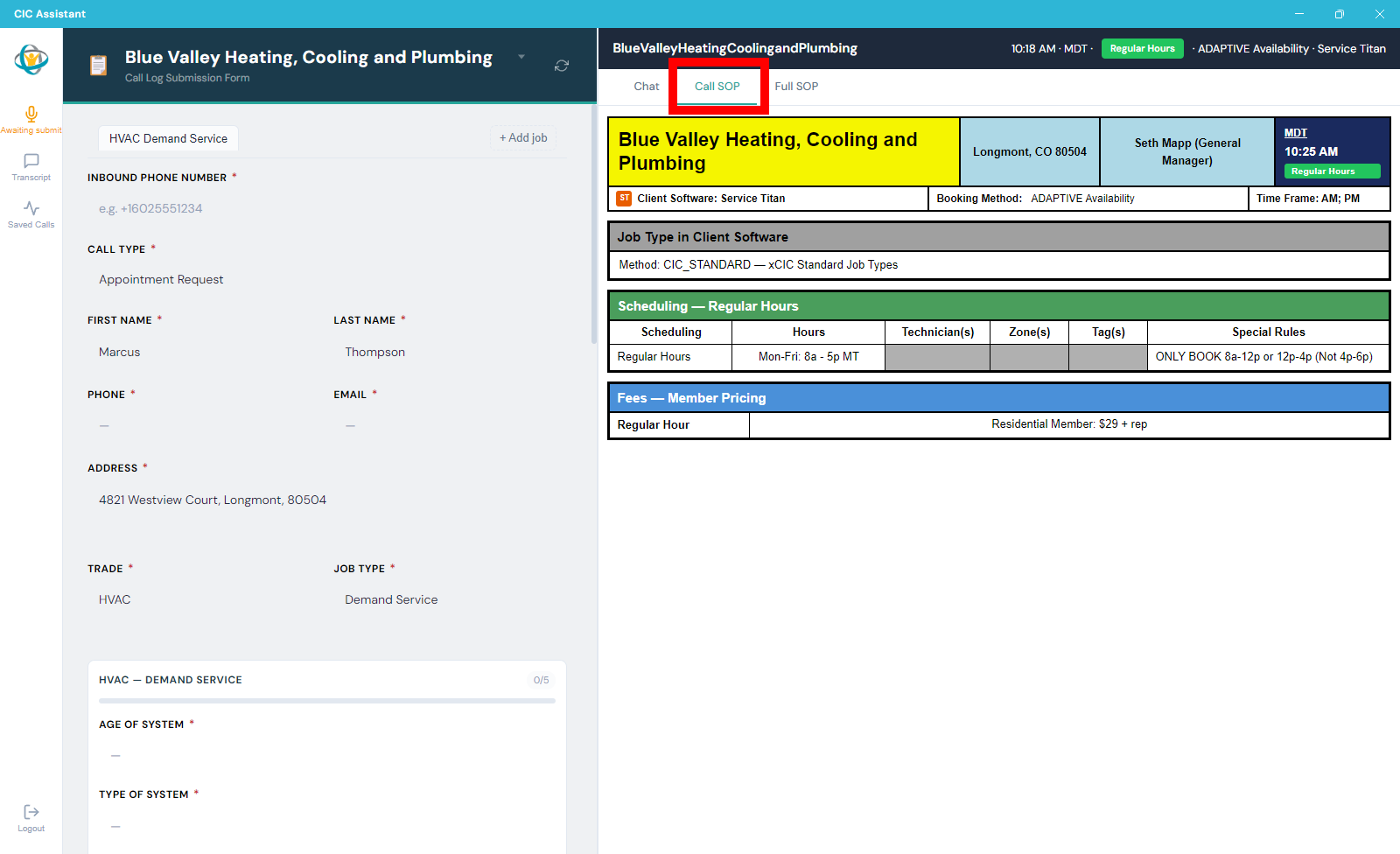
The Call SOP tab displays only the SOP information relevant to the current call.