Review the conversation transcript
Use the transcript to monitor the conversation and verify captured call details.
Instructions
- Select Transcript from the left navigation to open the conversation transcript.
- Review the agent and customer messages as the call progresses.
- Use the transcript to confirm that the form data matches the customer's statements.
- When the form is complete, use the submit control to finish the call workflow.
Use case: If a field looks incorrect or incomplete, compare it against the transcript before submitting the form.
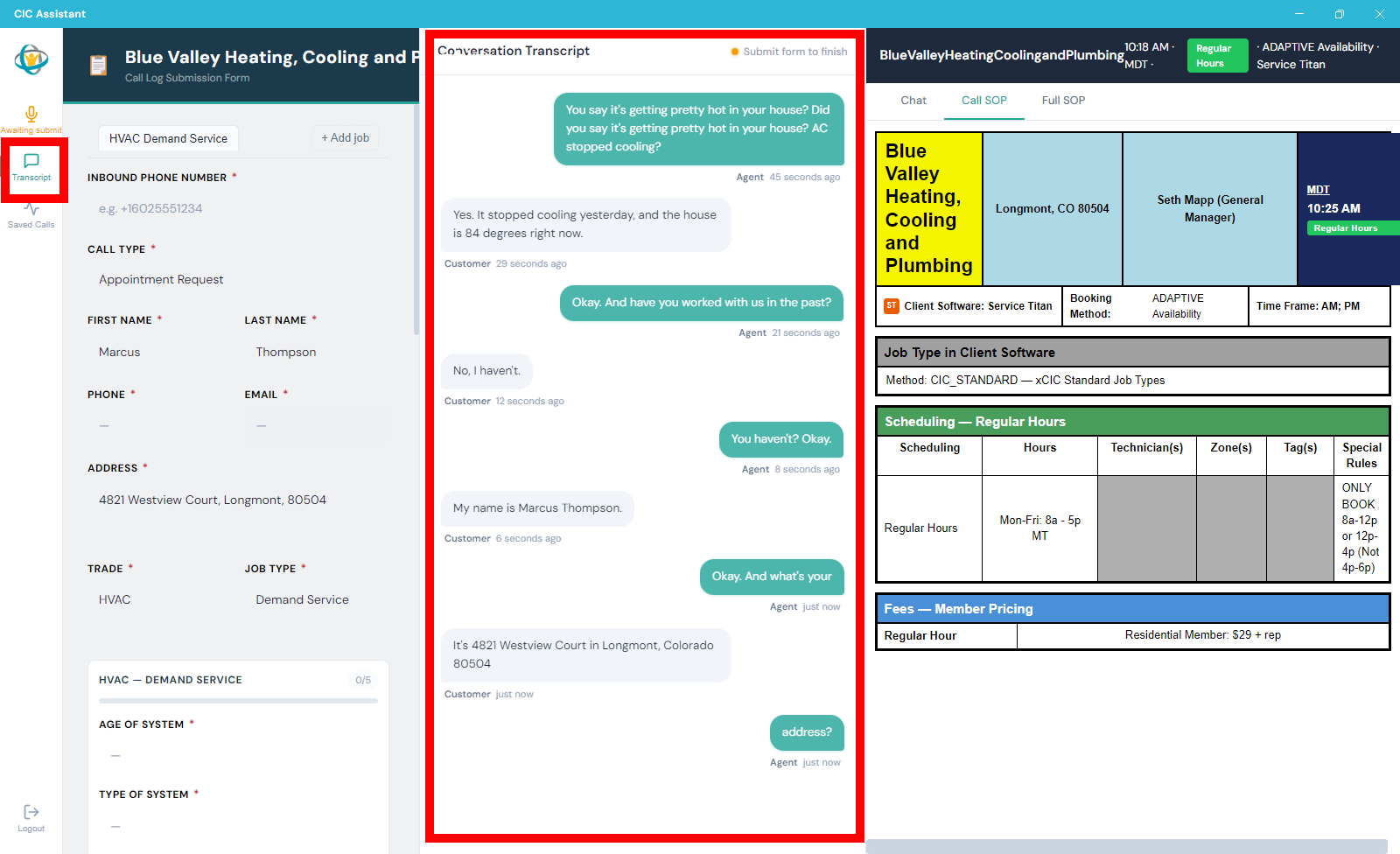
The Transcript view shows agent prompts and customer responses during the call.