Plans
A plan is one entry on CIC's standard fee menu. When a company is set up, its billing terms are copied from a plan into the company's contract, where they can then be adjusted for that client. Changing a plan later never changes an existing contract.
Plans are managed by admins under Plans (opens in a new tab) in the sidebar.
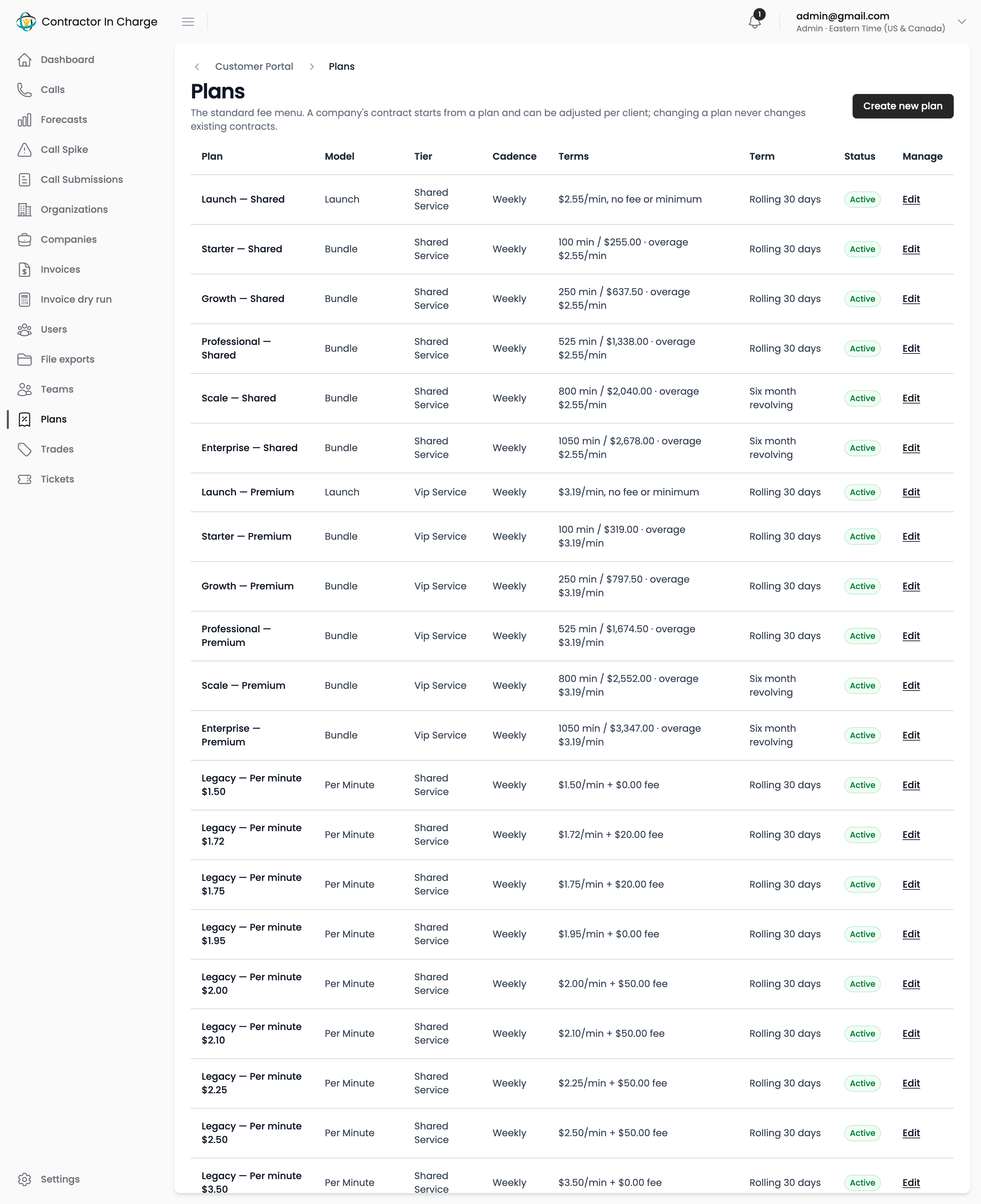
The standard menu
The menu mirrors the current service agreement:
| Plan | Pricing model | What it means |
|---|---|---|
| Launch | Launch | Per-minute pricing with no fee or minimum for the first 90 days, after which the client picks a bundle. |
| Starter, Growth, Professional, Scale, Enterprise | Bundle | A recurring fee that covers a block of included minutes, plus an overage rate for minutes beyond it. |
Each bundle exists in two service tiers, Shared Service and VIP Service, with the same included minutes and a different fee.
Legacy plans
Clients signed before the menu existed are on Legacy plans: one per historical per-minute rate (for example "Legacy — Per minute $2.25"), plus "Legacy — Leads to revenue" and "Legacy — Flat weekly fee". They exist so every contract can be linked to the scheme it follows for reporting. They are not offered to new clients.
Creating or editing a plan
- Open Plans and click New plan, or open an existing plan and click Edit.
- Give it a name and a position (its place in the menu).
- Choose the pricing model, service tier, billing cadence and agreement term.
- Fill in the numbers that apply to that model. Fields that do not apply to the chosen model can stay at zero.
- Save. Untick Active to retire a plan without deleting it; retired plans stay attached to the contracts that used them.
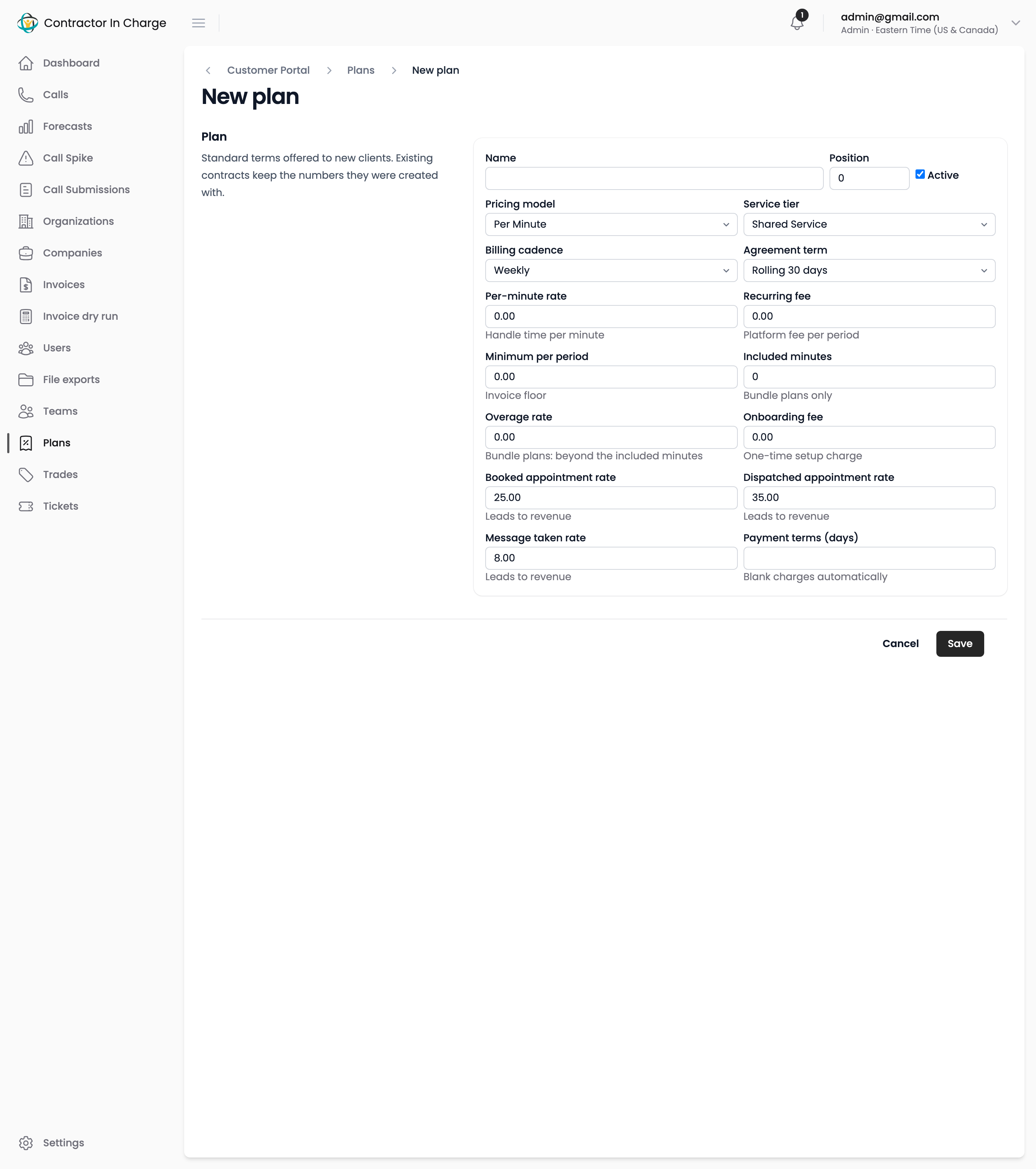
The pricing fields are the same ones a contract carries. See Contracts for what each one does.
What changing a plan does
Nothing, for existing clients. A plan is a template: its numbers are copied into a contract at the moment the plan is chosen. To change what a client pays, edit the client's contract. To change what new clients will be offered, edit the plan.
Next
- Contracts — a client's actual terms, and how to negotiate them field by field
- How billing is calculated — periods, minutes and the rules behind each pricing model