Tickets
Tickets (opens in a new tab) is where supervisors raise requests that need an admin's attention: a booking that did not reach the client's system, a playbook change, a billing question from a client. Admins review and resolve them in the same place.
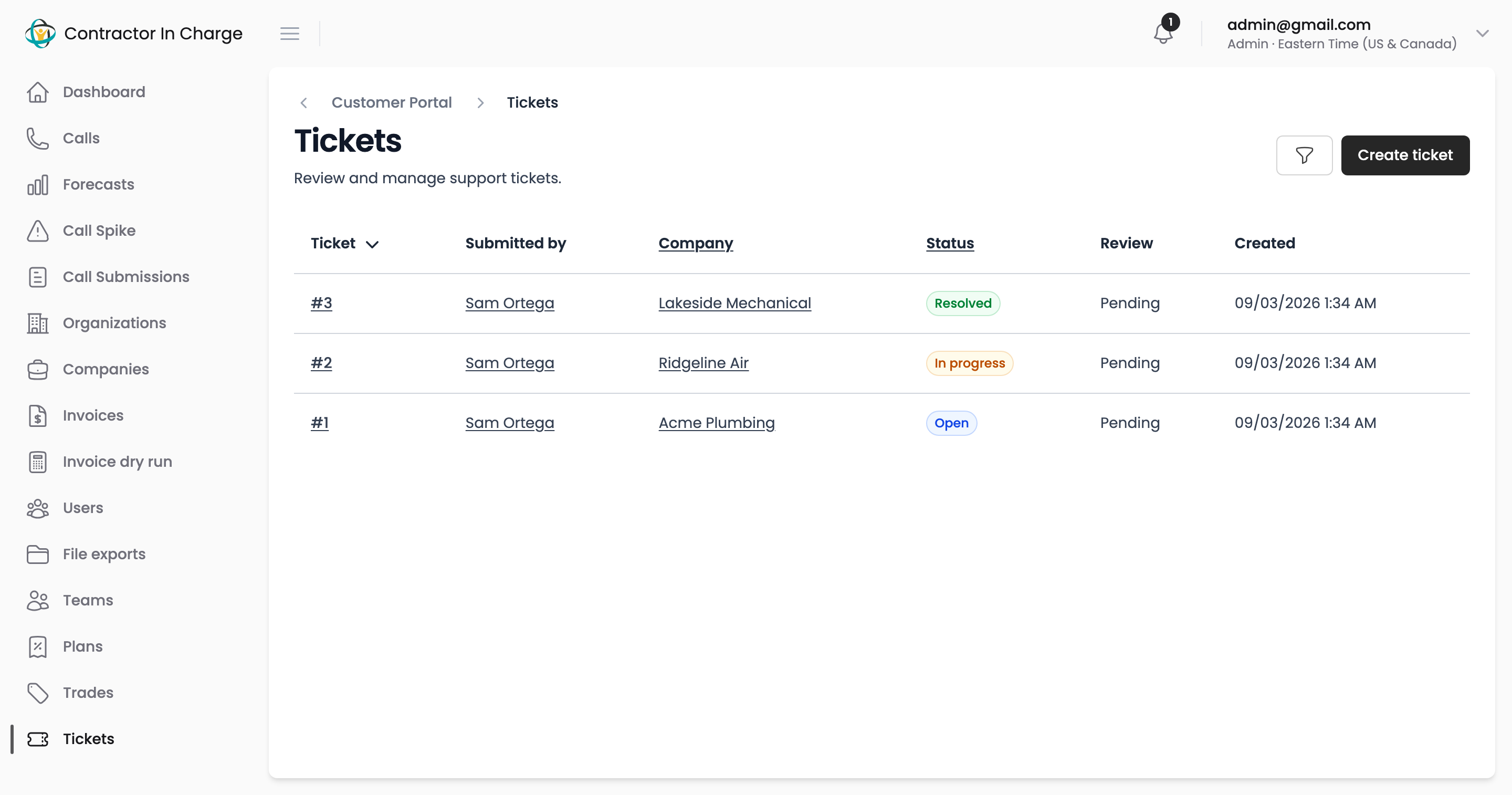
Who sees what
- Supervisors and other internal staff see the tickets they created and can create new ones.
- Admins see every ticket, can change its status and mark it reviewed.
- Customers do not see tickets. A client's request comes in through their CIC contact.
Creating a ticket
- Click Create ticket.
- Pick the company it is about (only active companies are listed) and describe the request. Include dates, times and phone numbers where they matter. Screenshots and screen recordings can be attached.
- Save. The ticket starts as Open.
Working a ticket
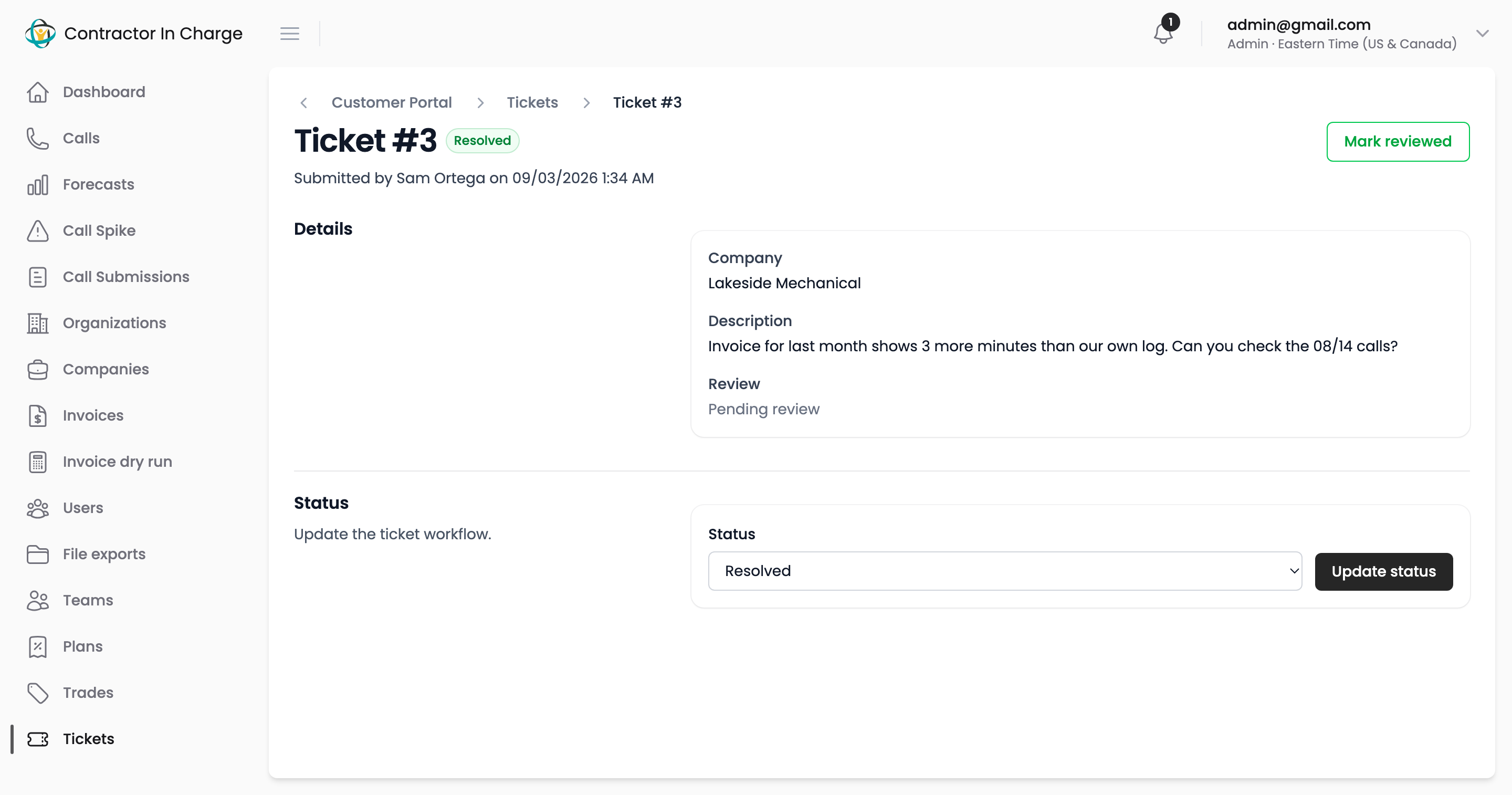
Open a ticket to read it in full. Admins can move it through Open → In progress → Resolved → Closed with Update status, and click Mark reviewed to record that it has been looked at, with who and when.
Finding tickets
The filter panel narrows the list by company and status. Resolved and closed tickets stay in the list for reference.
Next
- Notifications
- Contact — for anything that is not a portal ticket