Companies at Scale
Admins can do everything a supervisor can do with companies, plus a few platform-level operations.
Creating a brand-new company
Most companies are auto-created when their first Five9 call comes through (the portal sees a new campaign name and creates a company record). But you can also create one manually:
- Search Companies (opens in a new tab) for the company name and Five9 campaign first. Reuse an auto-created record instead of creating a duplicate.
- Click Create new company (opens in a new tab).
- Enter the required Name and unique Five9 campaign. The campaign must match Five9 exactly.
- Select the Trades and configure Billing mode, Invoice product, and every contracted rate or fee.
- Select an Organization only when the company bills through a parent organization.
- Enter the Poc (Point of Contact) and leave Active enabled for a live customer.
- Click Save, then verify the values on the company page.
Saving creates an empty playbook, but it does not create a user, company membership, inbound number, or payment method. Follow Onboard a Company & User for the complete sequence.
Auto-created companies use the Five9 campaign as their initial name. Review their identity, billing, organization, trades, and contact fields before onboarding the customer.
Reassigning a company
If a customer was misattached or wants to consolidate multiple companies, you can:
- Move a company into or out of an organization — see Organizations
- Reassign the supervisor by editing team memberships
- Re-tag with trades — see Tagging Trades (supervisor)
Discarding a company
Click Discard from the company's detail or edit page. This soft-deletes the company:
- It becomes inactive
- Its data is preserved (calls, recordings, members, invoices)
- It can be Undiscarded later
- It stops appearing in default lists (use the discarded filter to find it)
Permanent deletion is not exposed in the UI — for a regulatory request requiring true deletion, escalate to engineering.
Bulk operations
The portal does not currently expose bulk-edit tooling for companies through the UI. For one-off bulk changes (e.g., re-tagging 50 companies), work directly with engineering, who can run a script — keep an audit note for traceability.
Five9 campaign name
The Five9 campaign name field on a company is the linkage between the portal and Five9's call routing. Get it wrong and the company sees no calls (or the wrong calls).
When changing this:
- Confirm the exact campaign name with whoever manages Five9 routing.
- Edit the company's Five9 campaign name.
- Wait for the next Five9 sync (every 15 minutes during the day).
- Verify the next inbound call appears in the company's call history.
Other campaigns for the same company
A client can have more than one Five9 campaign (a renamed campaign, an overflow line, an "LTR" variant). List the extra names under Other Five9 campaigns for this company on the edit page, one per line. Calls arriving under any of them are attributed to the company instead of spawning a new one with no rates. A campaign name can belong to only one company.
Inactive companies
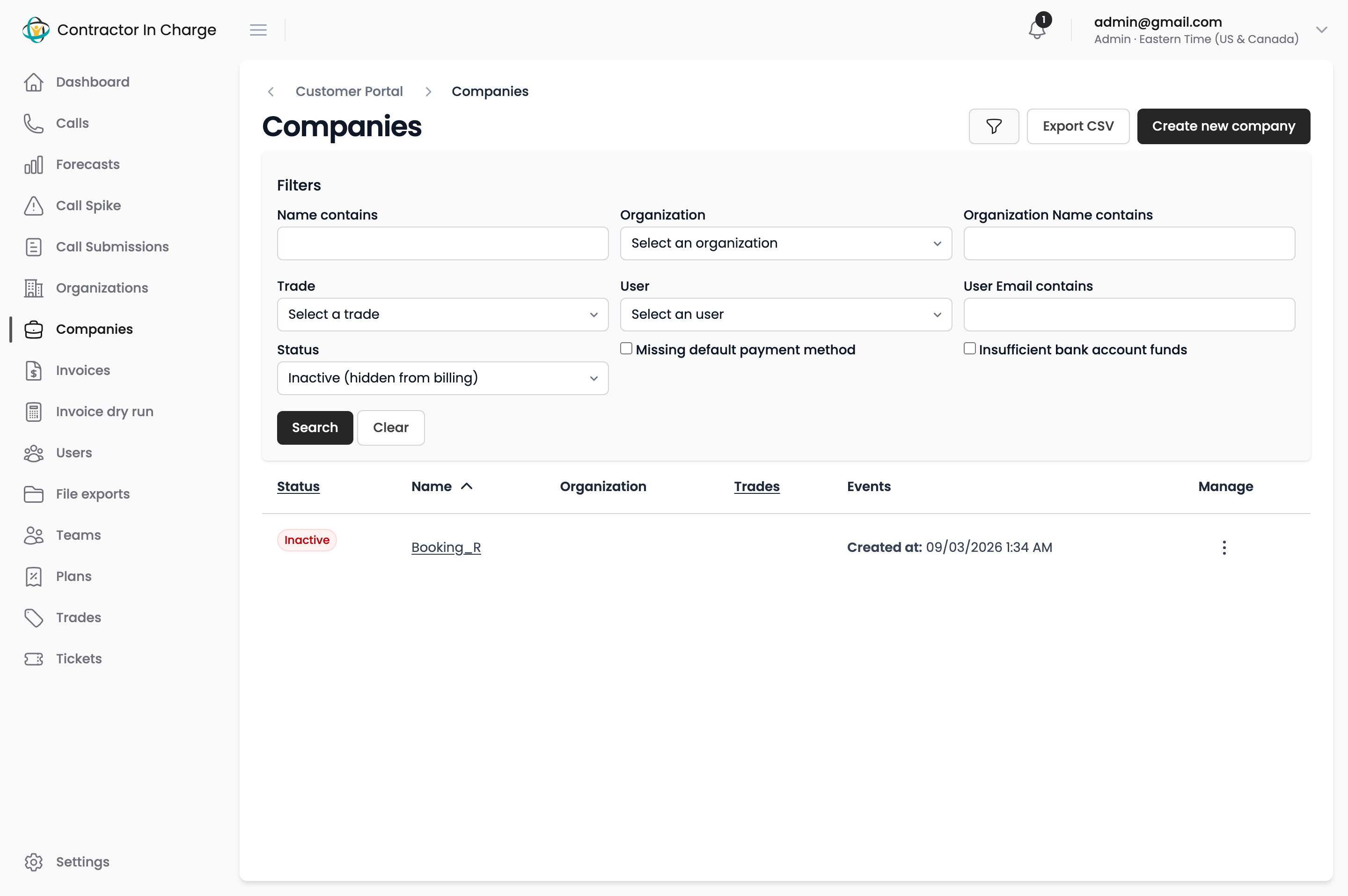
Unticking Active on a company hides it from the invoice dry run, from ticket and lookup lists, and from customer and agent views, while keeping every call it took. Use it for terminated clients and for campaigns that will never be a client. The Status filter on the Companies page lists inactive companies; tick Active again on the edit page to bring one back.
When auto-creation goes wrong
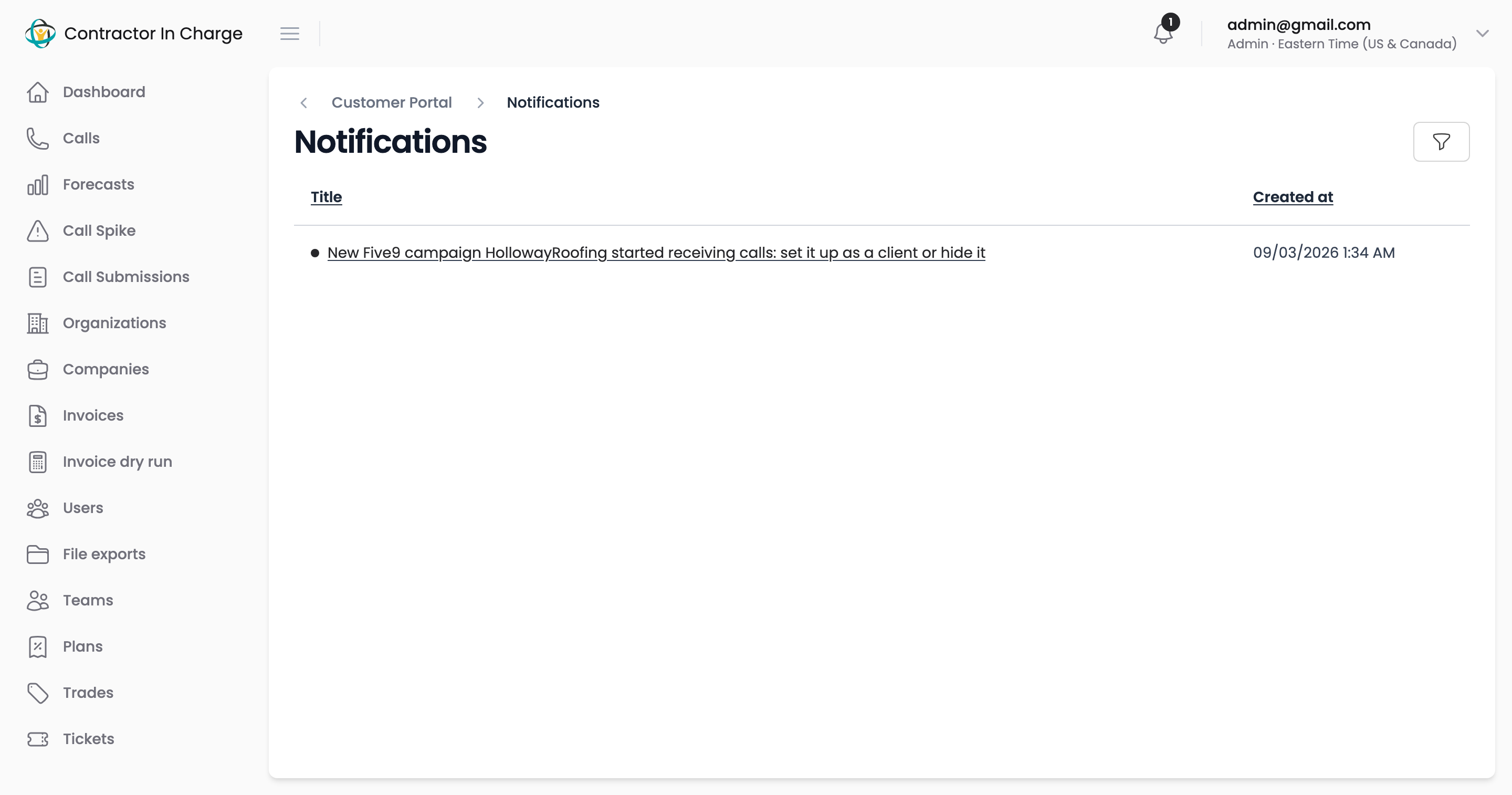
The portal auto-creates a company the first time it sees calls from a campaign name it doesn't recognize, and sends admins and supervisors an in-app notification ("New Five9 campaign X started receiving calls: set it up as a client or hide it") linking to the new company's edit page. Act on it before the next invoice run: either give the company its contract and Stripe customer, or untick Active.
Two cases need no action:
- Routing campaigns (
Booking_*,Outpulse*) route calls to the real client automatically. When a call cannot be matched, the portal files it under a company named after the routing campaign, created inactive. The dry run's Hidden section shows these when they take calls. - Variant names — "AcmePlumbingLTR" next to "AcmePlumbing". Add the variant as an alias on the real company (above) and move on; the shadow company can be discarded.
Auditing company changes
Every meaningful change to a company is recorded. Use the Activity or History section on the company detail page to see:
- Who changed what field
- When
- Before → after values
Useful for billing disputes ("the rate changed when?") and onboarding handoffs.
Next
- Onboard a Company & User — complete onboarding checklist
- Organizations — multi-company parent setup
- Stripe Billing — billing per-company vs. per-org