Invoice Dry Run
The Invoice dry run (opens in a new tab) page (admins only, under Invoices in the sidebar) prices a billing period exactly as the real run would and shows the result per company. Nothing is created in Stripe and nothing is sent. Use it every week before the run, and whenever a contract changes.
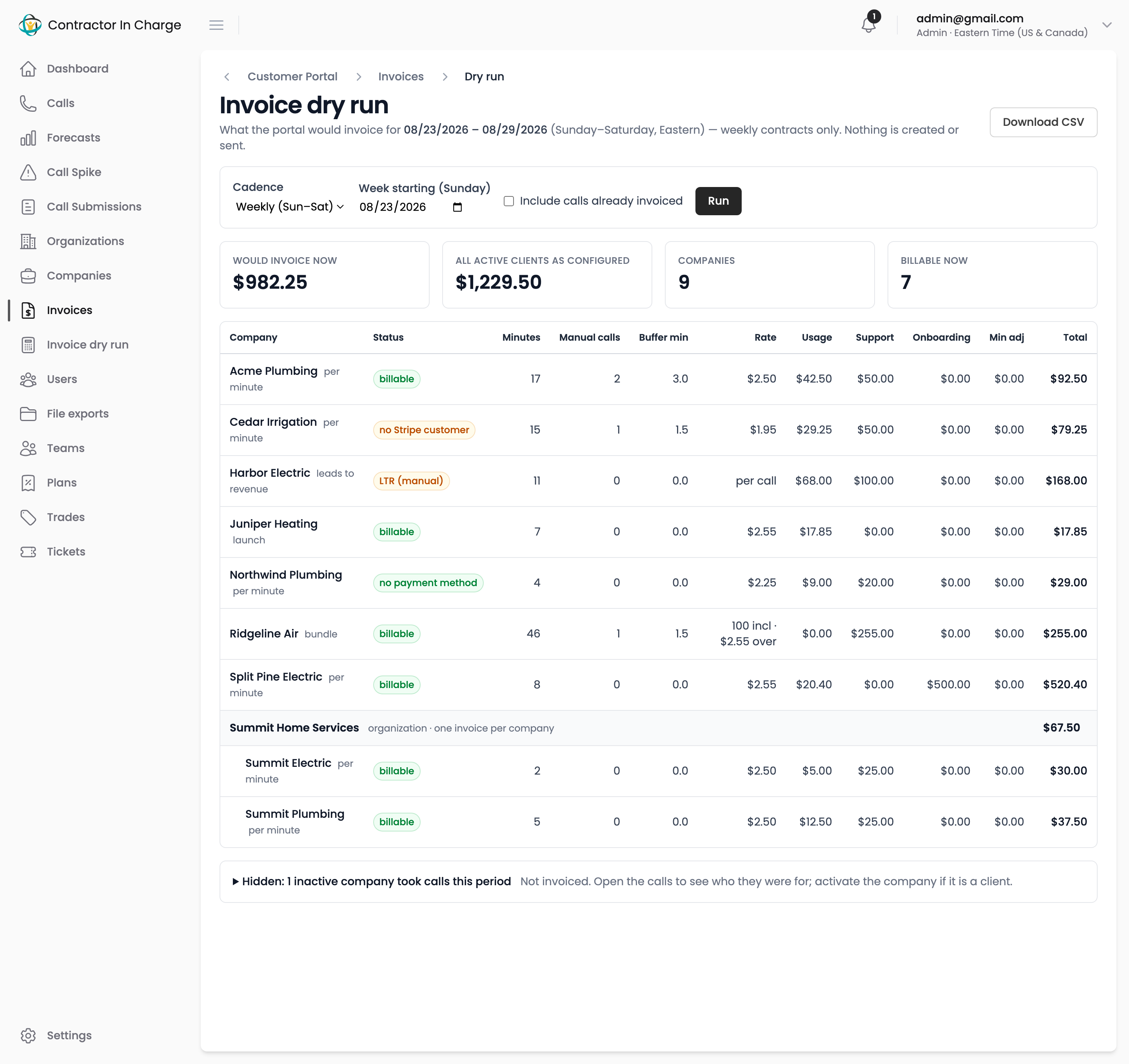
Running it
- Choose the cadence: Weekly (Sunday to Saturday), Monthly (calendar month), Monthly, issued on the 25th, or Custom range (usage only).
- Pick any date inside the period you want. The page snaps to the week, the calendar month, or the 25th cycle whose billing weeks contain that date. For a custom range, set From and To.
- Tick Include calls already invoiced to reproduce a period that has been billed; leave it unticked to see what the next run would pick up.
- Click Run. The default is the most recently completed period.
Download CSV exports the same rows for a spreadsheet.
Reading the page
The four cards summarise the period:
- Would invoice now — the total for companies that would actually be invoiced by the run.
- All active clients as configured — the total if every active company were billable, which is what finance expects to see once setup gaps are closed.
- Companies and Billable now — how many rows there are and how many pass every check.
Each row shows the company, its pricing model, a status, minutes (including the manual-call allowance, with manual calls and buffer minutes broken out), the rate, and each line amount. Companies in an organization are grouped under it with the organization's minimum adjustment and total.
A status other than billable explains why that company would be skipped; How billing is calculated lists what each one means and how to fix it. A row in red could not be priced at all, for example a launch contract whose launch period has ended, and the note says what to do.
Hidden companies
Below the table, a collapsed Hidden section lists inactive companies that still took calls in the period, with the campaign name, call and minute counts and the last call date. These are usually routing or test campaigns and cost nothing, but if one is really a client:
- Click View calls to open those calls and see who they were for.
- Click Activate to turn the company back on. It appears in the next dry run.
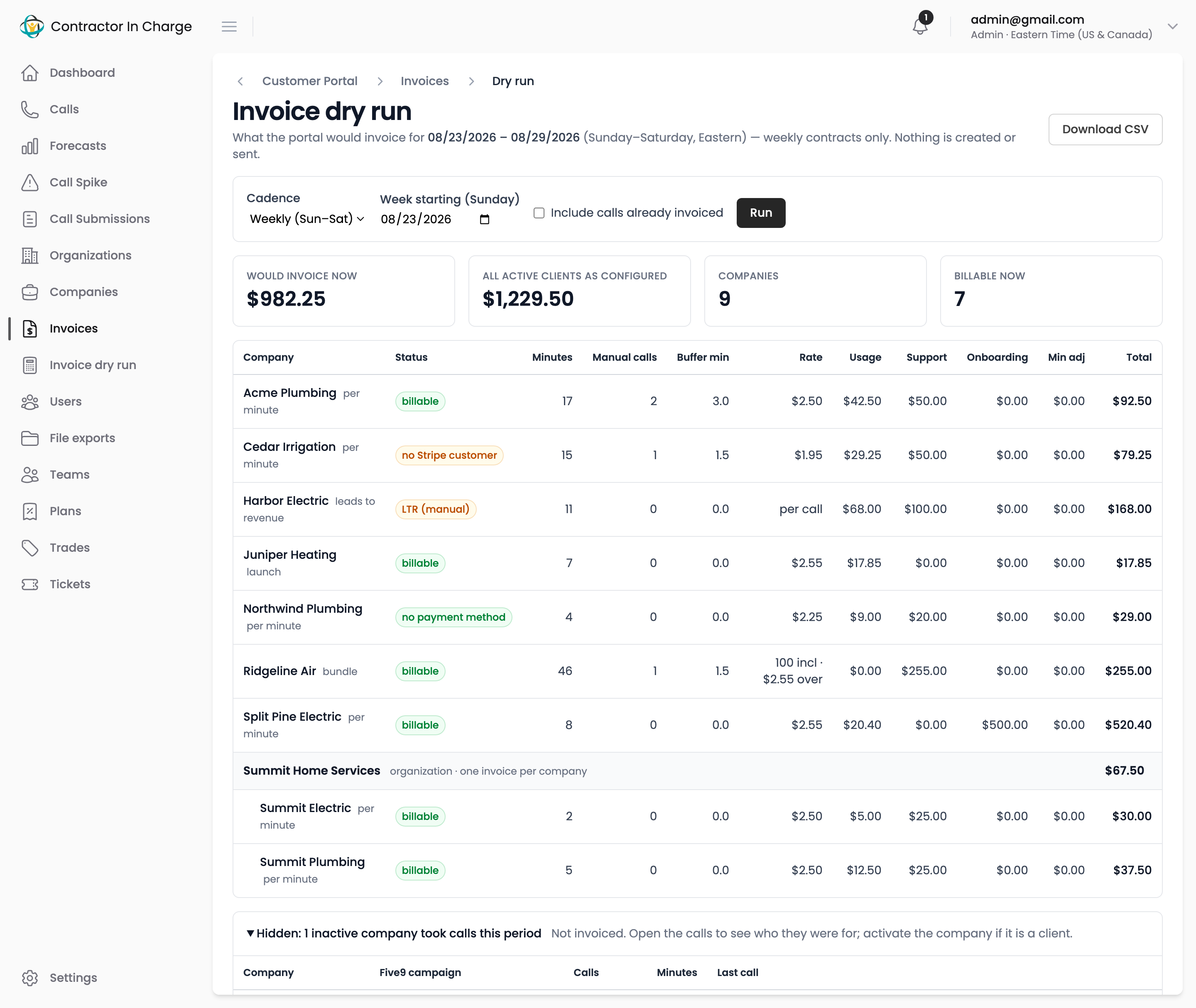
The section does not appear when nothing hidden took calls.
Monthly views
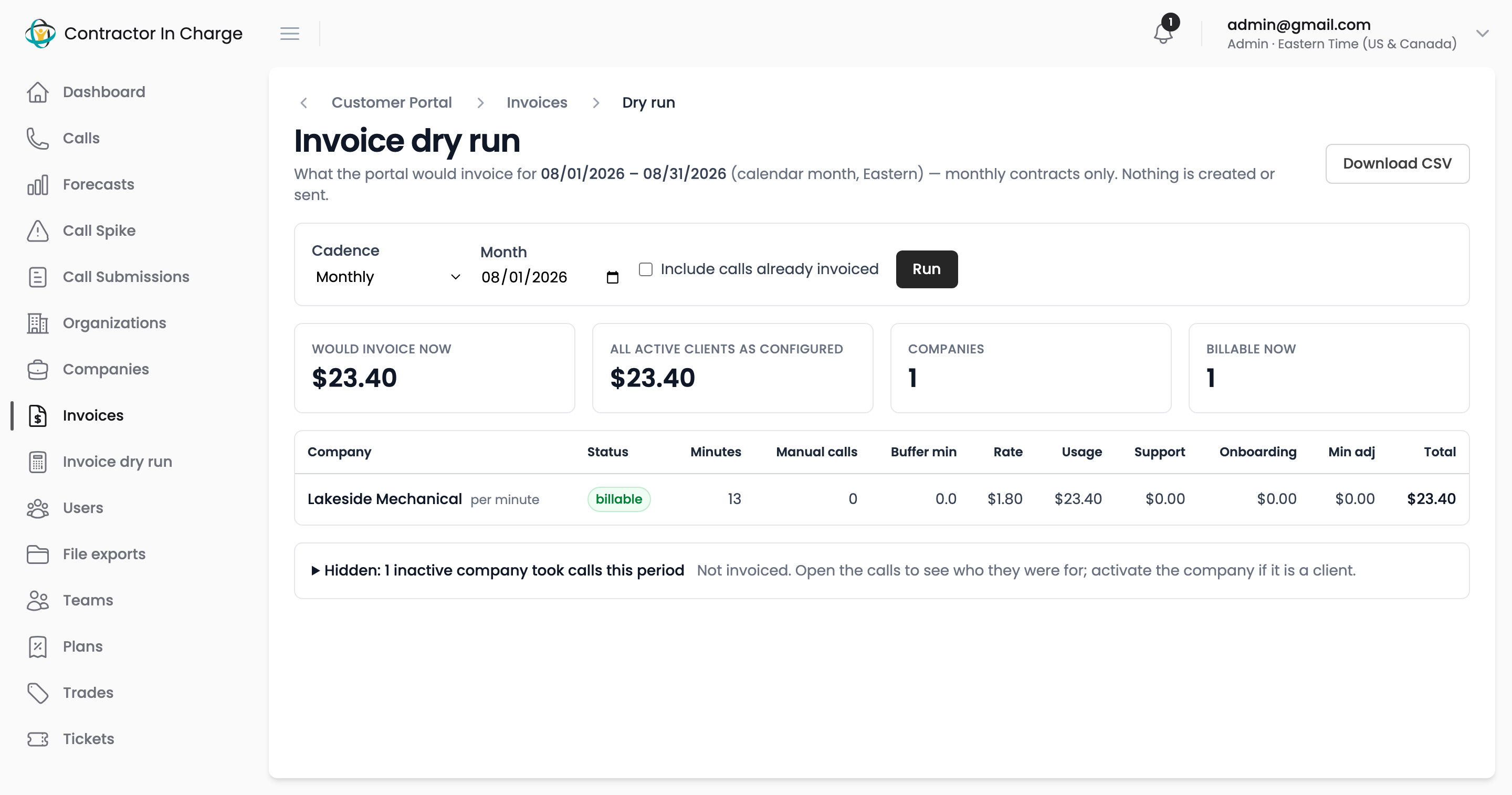
Switch the cadence to Monthly to preview the calendar month for monthly contracts. Payment terms on the contract are respected: the row shows what Stripe will email rather than charge.
Monthly, issued on the 25th previews the billing weeks that the next 25th invoice will carry. Pick a date inside one of those weeks: for the invoice issued on 9/25, any day from 8/23 to 9/19. See How billing is calculated for how the cycle is drawn.
Custom range, usage only
For month-end accruals, choose Custom range (usage only) and set From and To to any span of days. Every active company is listed whatever its cadence, and the page prices only what accrues by the day: minutes (with the manual-call allowance) at the contract's rate, and per-call lines for leads-to-revenue clients.
A banner on the page says what is left out, because these are per billing period and cannot be split across days: recurring fees, minimums, onboarding fees and bundle allowances. Bundle contracts show their minutes with "not priced (bundle)" instead of an amount. A launch contract whose launch period has ended is still priced at its per-minute rate here. The CSV export follows the same rules, with the fee columns left blank.
Next
- How billing is calculated
- Contracts
- Companies at Scale — routing campaigns, aliases and inactive companies